The TRANSLITRU() function is designed for automatic text conversion from Russian to Latin in Excel (LibreOffice Calc). It preserves the sound of words, replacing Cyrillic characters with corresponding Latin ones. This is convenient for creating Latinized versions of names, titles, or technical data.
=TRANSLITRU(Text; [Standard])
The TRANSLITRU() function is easy to use. Just enter any text in Russian and select the transliteration standard, and Excel (Calc) will automatically convert it to Latin:
=TRANSLITRU(Text; Standard)
We will have the following result:
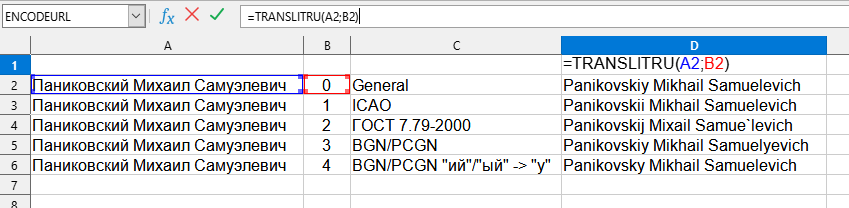
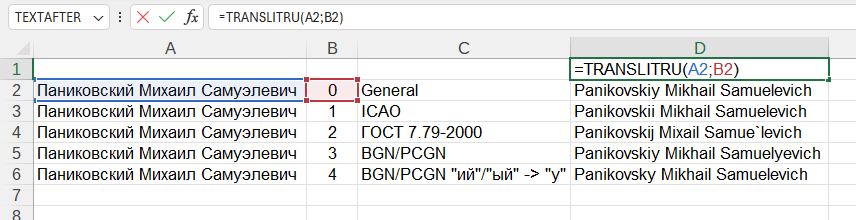
In this example, the following values are used:
You can use the TRANSLITRU() function by installing the YLC Utilities extension.
After that, this function will be available in all files that will be opened in Excel (LibreOffice Calc).

