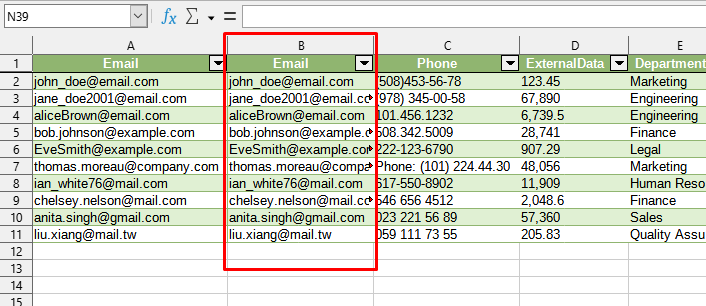
This tool allows you to create an exact copy of the selected column in LibreOffice Calc, automatically inserting it next to the original. The key feature of this function is that it preserves the original links and formulas of the column, which does not happen with regular copy-pasting, making it ideal for use in data processing workflows.
This is useful when you need to create an additional column to perform transformations on it (e.g., remove part of the text or change case), leaving the original data untouched.
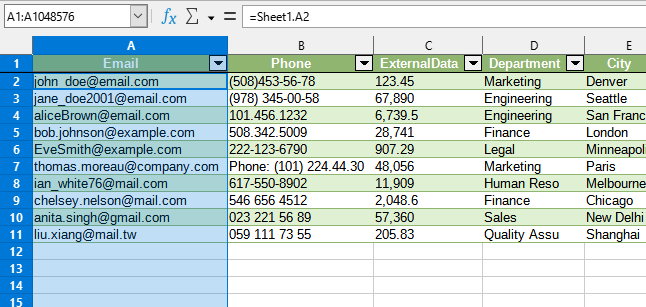
After applying:
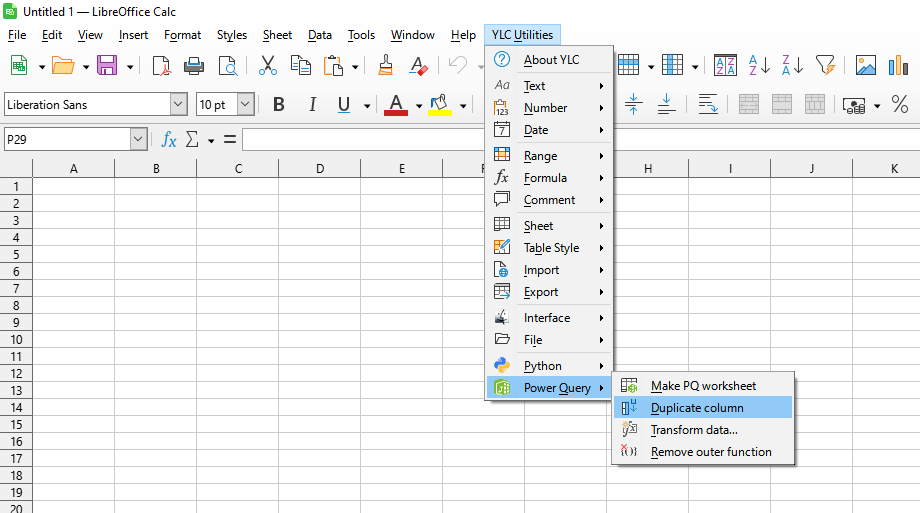
Click
LibreOffice Calc:
Using this tool, you are guaranteed to save time and effort. However, the actual time savings depend on how often you use LO Calc, the volume of data you work with, and how frequently you use this tool.
You can use the utility
After this, this function will be available in all files opened in LibreOffice Calc.

