The GETWORD() function extracts the required word from a text string by the specified sequence number and set of delimiters. A convenient tool for quick parsing and cleaning of raw data.
You can also use the ready-made tool
=GETWORD(Text, Entry, [Delimiters])
The GETWORD() function is easy to use. You only need to specify the cell with the text and Excel (Calc) will automatically return the required word:
=GETWORD(Text; Entry; Delimiters)
We will get the following result:
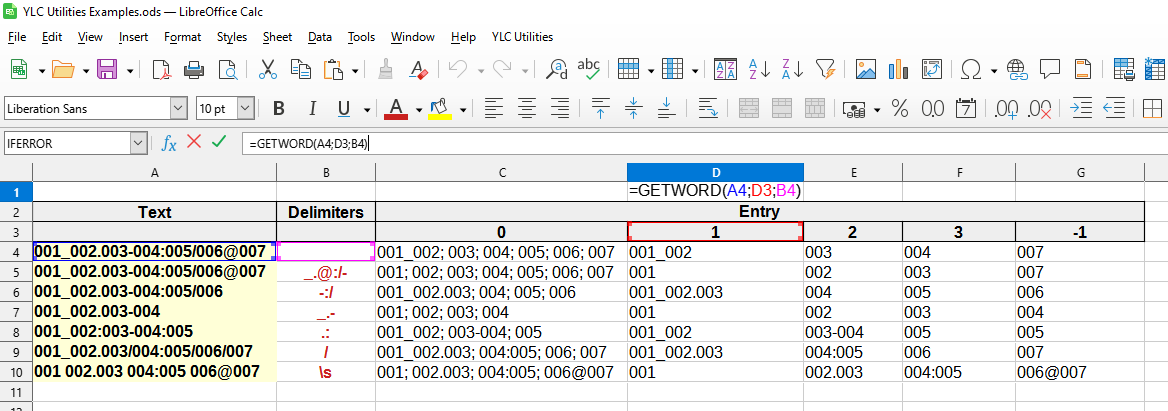

The following values are used in this example:
You can also use the GETSUBSTR() function, which is very similar, but can split text only by one specified delimiter.
You can use the GETWORD() function by installing the YLC Utilities extension.
After this, this function will be available in all files opened in Excel (LibreOffice Calc).

