The TABLETOARRAY() function converts values from a table into a data array. Creating both 1-dimensional and 2-dimensional arrays is supported.
This allows you to quickly prepare tabular data for further processing.
=TABLETOARRAY(Range; Extent)
The TABLETOARRAY() function is easy to use. You just need to select a table and specify the dimension of the desired array (1 or 2-dimensional) and Excel (Calc) will automatically return an array of values:
=TABLETOARRAY(Range; Extent)
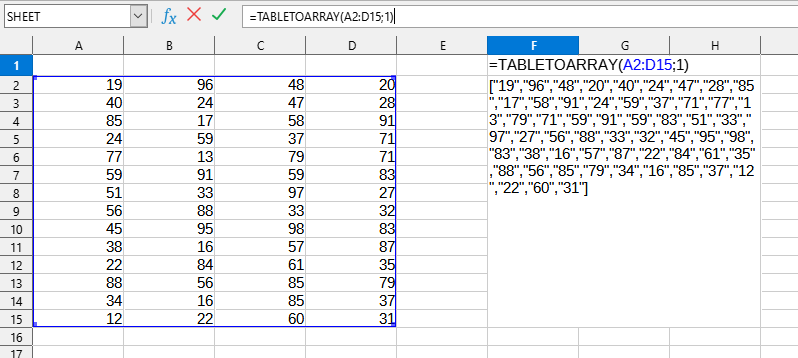
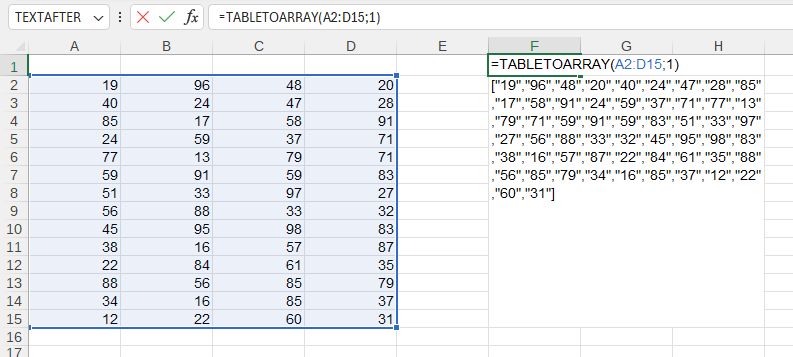
In this example, the following values are used:
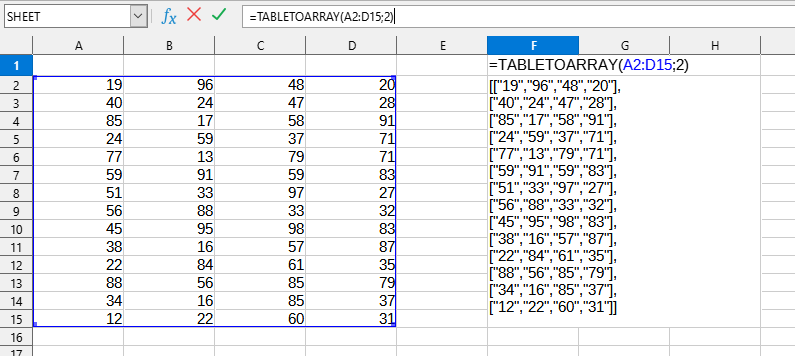
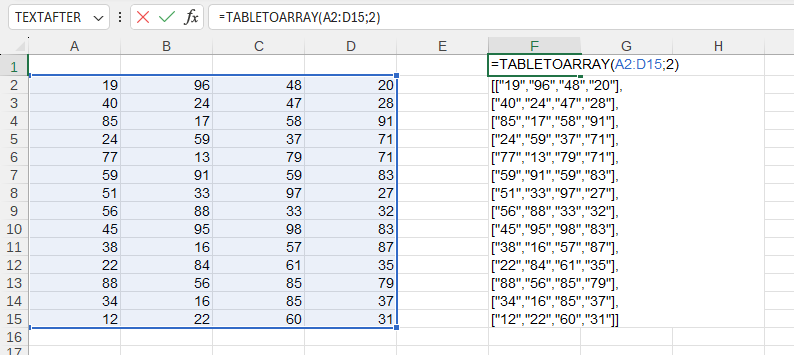
In this example, the following values are used:
You can use the TABLETOARRAY() function by installing the YLC Utilities extension.
After this, the function will be available in all files opened in Excel (LibreOffice Calc).

