The GETBOLD() function is designed to return text fragments from a cell that have "bold" (Bold) formatting.
=GETBOLD(Cell; [Entry])
The GETBOLD() function is useful when different font styles are mixed in one cell, and you need to isolate only emphasized (bold) words. Excel (Calc) will automatically find and return these fragments:
=GETBOLD(Cell; Entry)
We will have the following result:
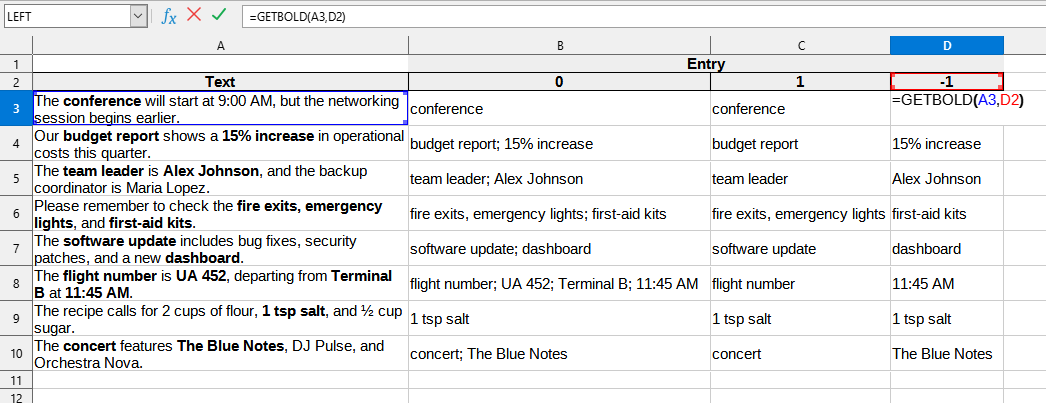
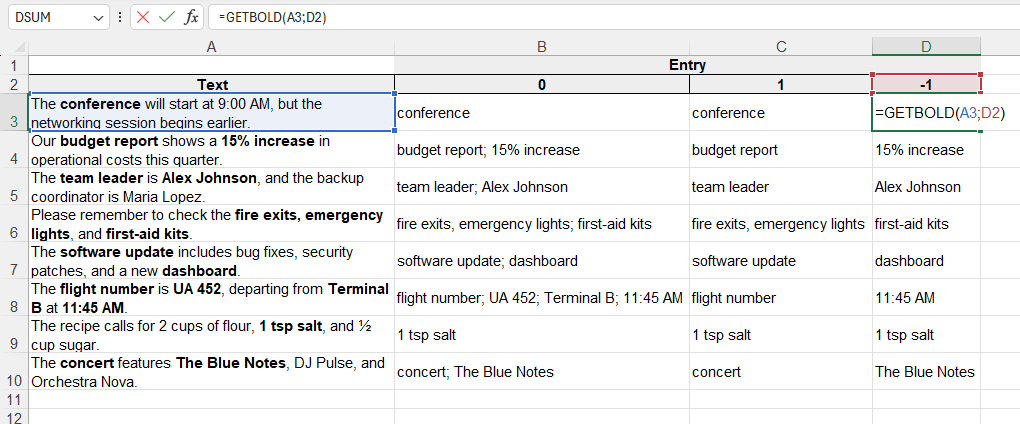
In this example, the following values are used:
You can use the GETBOLD() function by installing the YLC Utilities extension.
After that, this function will be available in all files that will be opened in Excel (LibreOffice Calc).

