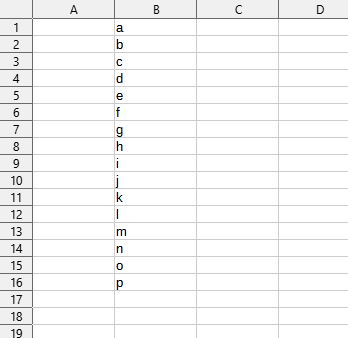
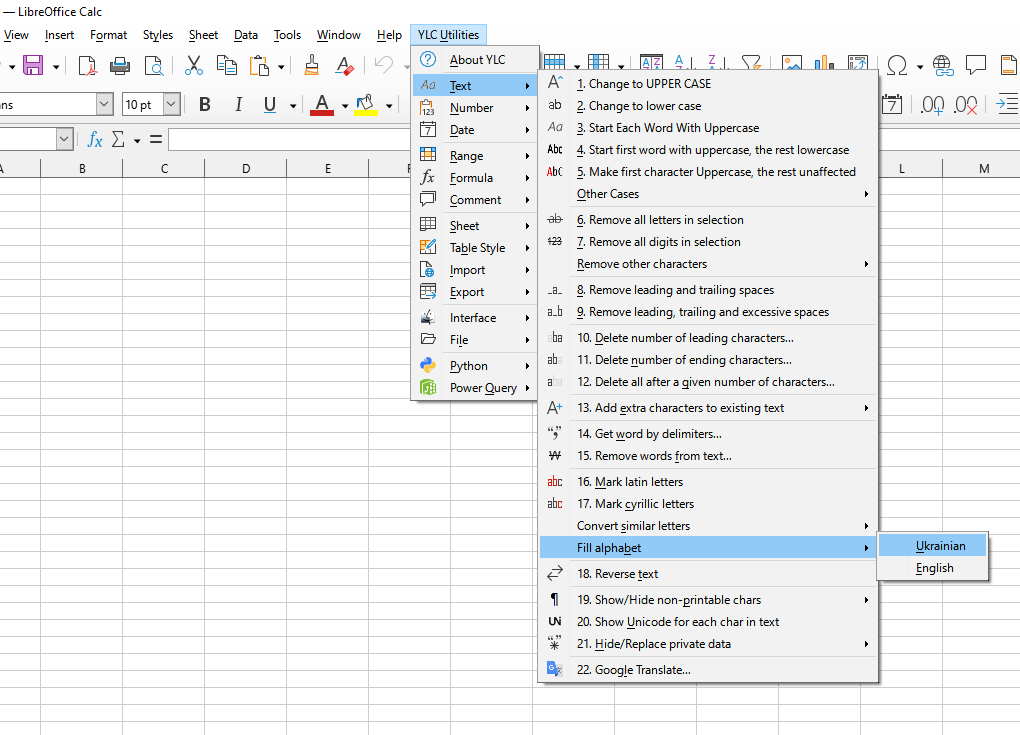
This tool allows you to quickly fill the selected cell range with letters of the chosen alphabet, starting from the selected starting letter.
This eliminates the need to manually enter letter sequences (e.g., for creating column headers or identifier sequences) and supports various alphabets, making it useful for users from different countries.
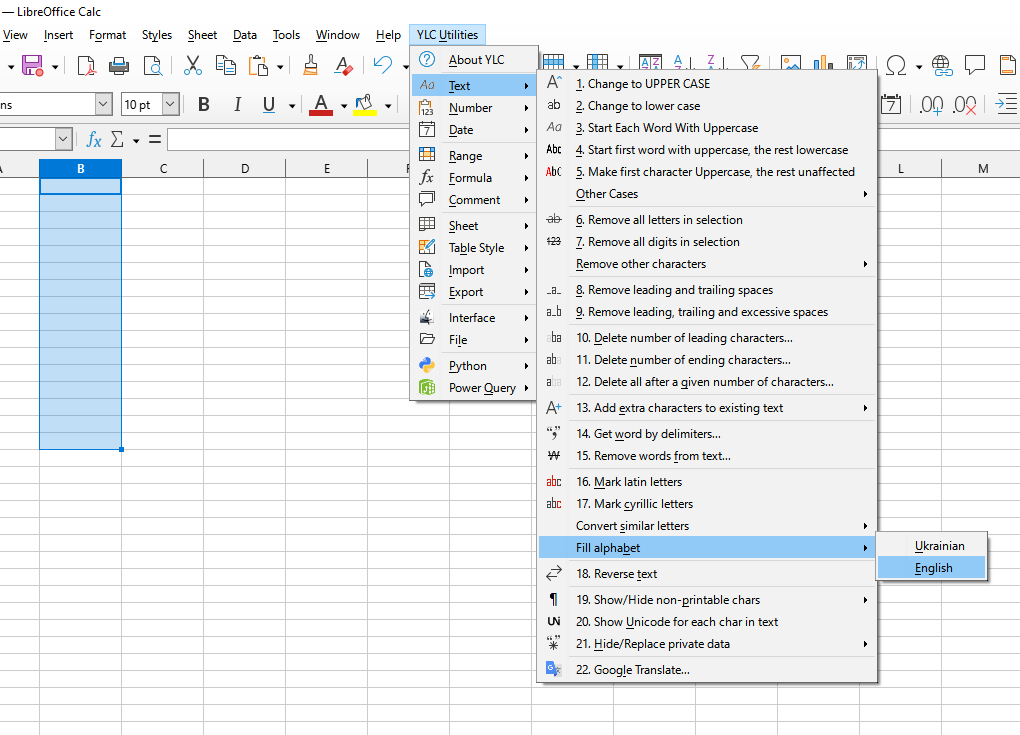
After applying:
Click

By using this tool, you are guaranteed to save time and effort. However, the actual time savings depend on how often you use Excel (Calc), the volume of data you are working with, and how often you use this tool.
You can use the
After that, this function will be available in all files that are opened in Excel (LibreOffice Calc).

