The GETCOMMENT() function quickly extracts comment text from the specified cell directly into a formula. It simplifies data auditing, note collection, and file analysis in Excel (LibreOffice Calc).
Also, you can use the ready-made tool "Copy comment to cell", which automatically copies the comment for the selected cells.
=GETCOMMENT(Cell)
The GETCOMMENT() function is easy to use. You just need to specify the cell with the comment and Excel (Calc) will automatically return its comment text:
=GETCOMMENT(Cell)
We will get the following result:
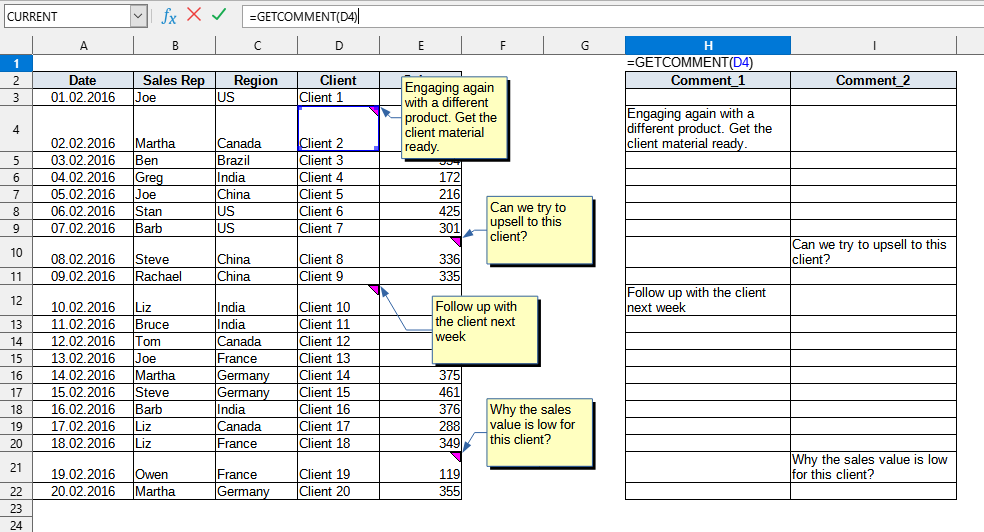
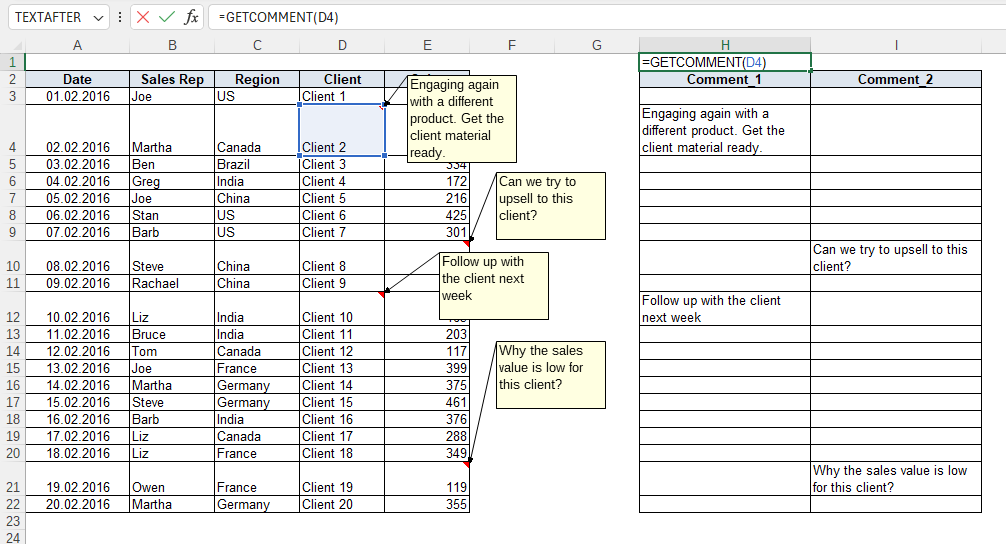
The following values are used in this example:
You can use the GETCOMMENT() function by installing the YLC Utilities extension.
After that, this function will be available in all files opened in Excel (LibreOffice Calc).

