This tool allows you to automatically remove the outer (wrapper) function from all formulas in the selected column of LibreOffice Calc. This is ideal for debugging, simplifying, or preparing complex formulas for further processing.
The tool leaves only the inner arguments of the outer function, converting them into a new formula or value.
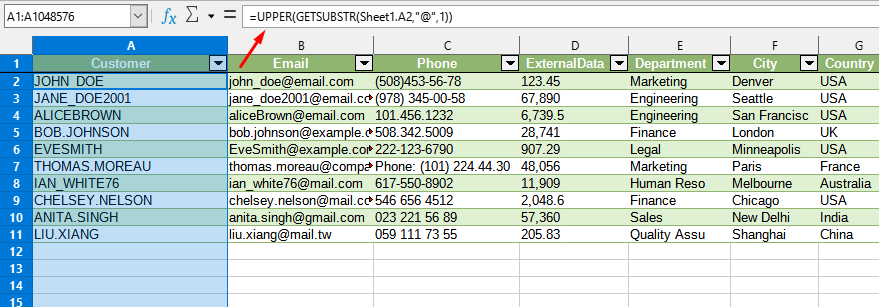
After applying:
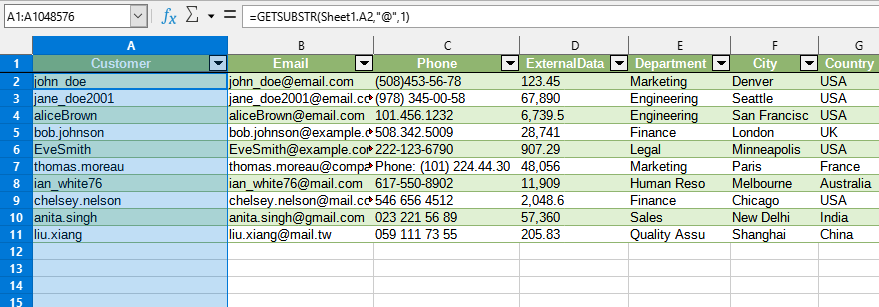
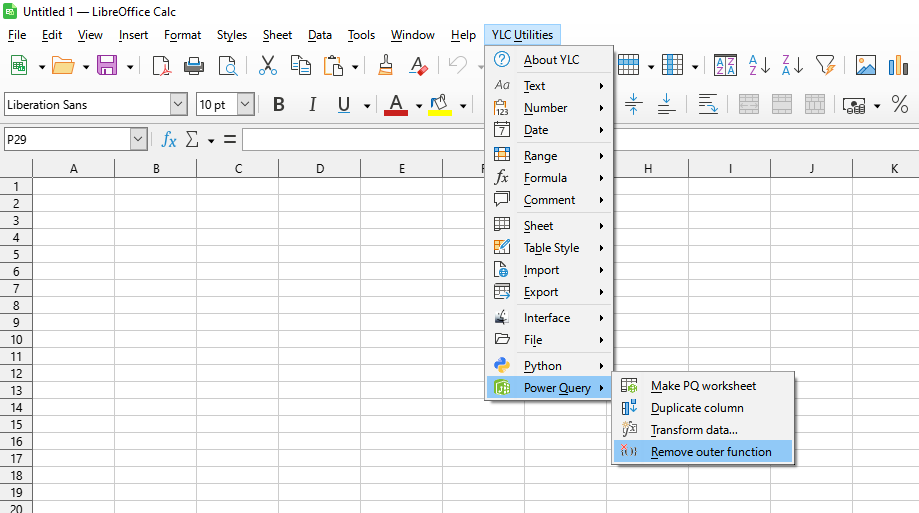
Click
LibreOffice Calc:
By using this tool, you are guaranteed to save time and effort. However, the actual time savings depend on how often you use LO Calc, the volume of data you work with, and how often you use this tool.
You can use the utility
After this, this function will be available in all files that will be opened in LibreOffice Calc.

