This tool allows you to apply defined formulas to the selected column in LibreOffice Calc to quickly transform its data. This is functionally similar to data transformation in "Power Query" (Get & Transform), which allows you to clean, standardize, or extract information from text or numeric columns.
You can choose one of the predefined transformations (e.g., change case, trim spaces, extract number) or apply your own formula to all cells in the column.
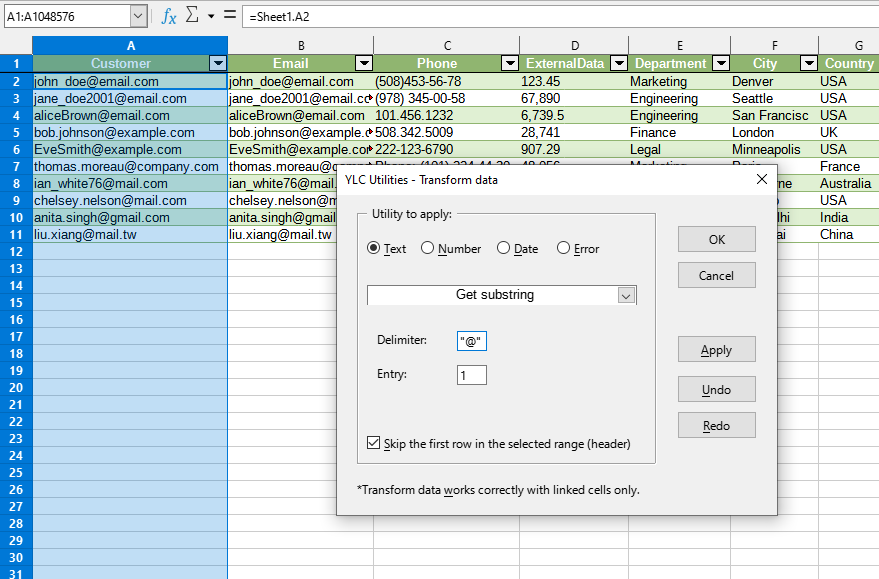
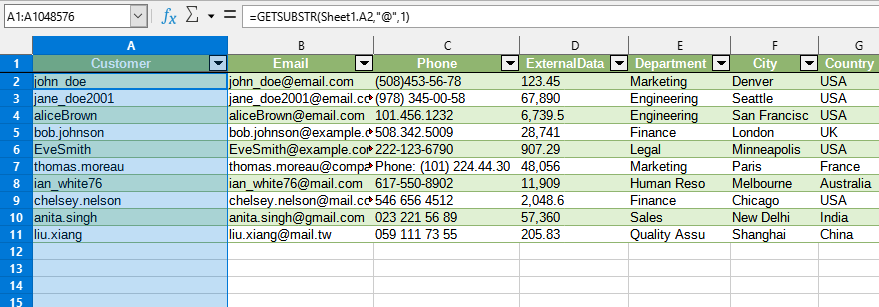
After applying:
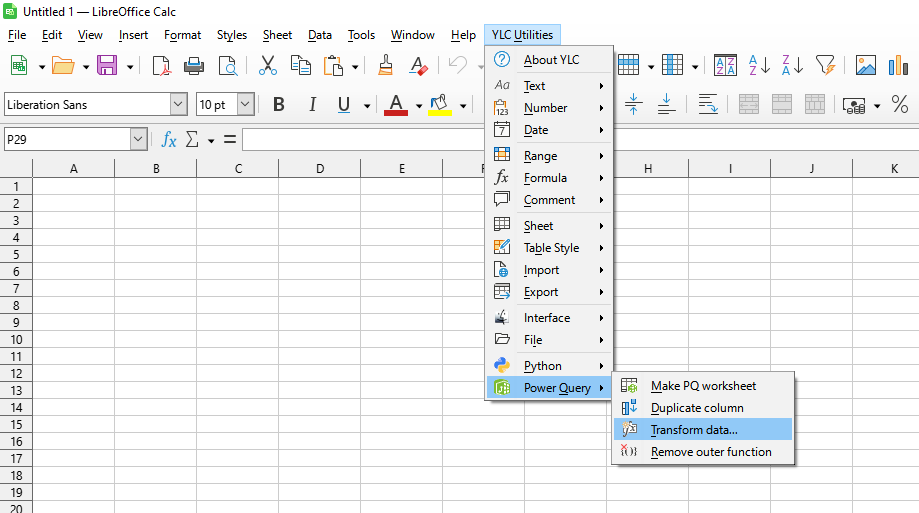
Click
LibreOffice Calc:
By using this tool, you are guaranteed to save time and effort. However, the actual time savings depend on how often you use LO Calc, the volume of data you work with, and how frequently you use this tool.
You can use the utility
After that, this feature will be available in all files opened in LibreOffice Calc.

