This tool allows you to quickly create a Jupyter notebook file (*.ipynb) with Python code that retrieves data from the selected range. This eliminates the need to manually copy data and write initial code for their processing or visualization in Python within the Jupyter environment.
The tool creates a *.ipynb file containing Python code for creating and initializing a Pandas DataFrame object, which refers to values only from selected cells (ignoring formulas) and is ready for use in your Jupyter notebook.
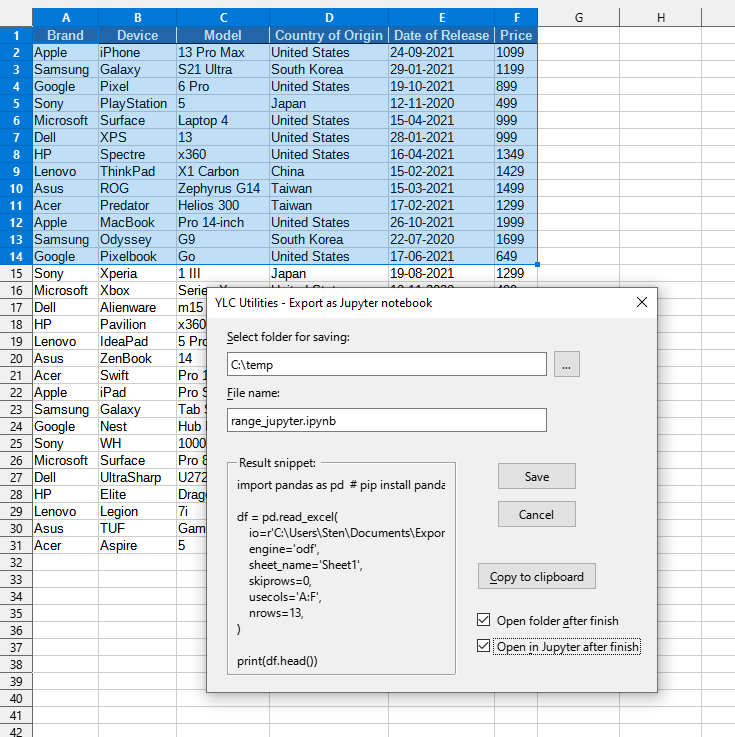
After applying:
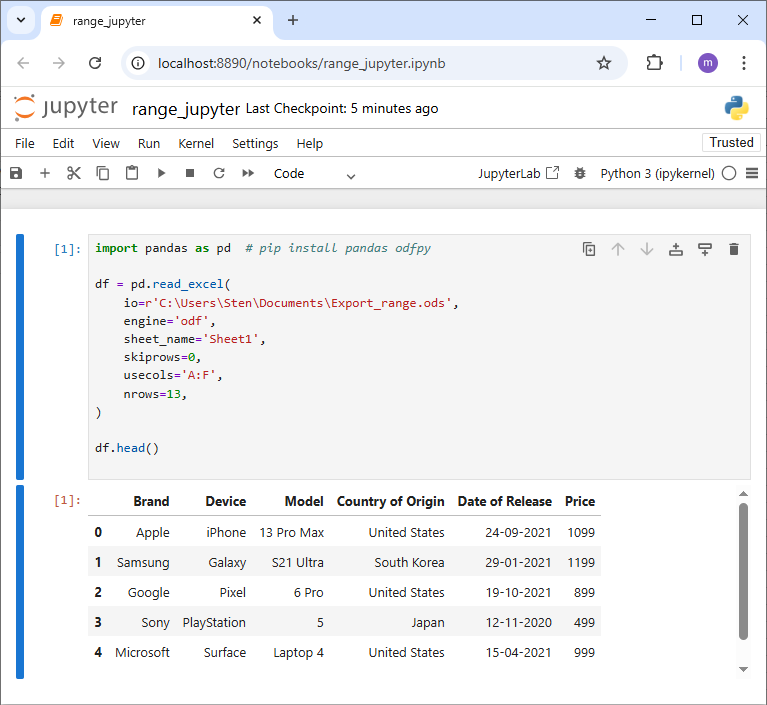
Click

By using this tool, you are guaranteed to save time and effort. However, the actual time savings depend on how often you use Excel (Calc), the amount of data you work with, and how often you use this tool.
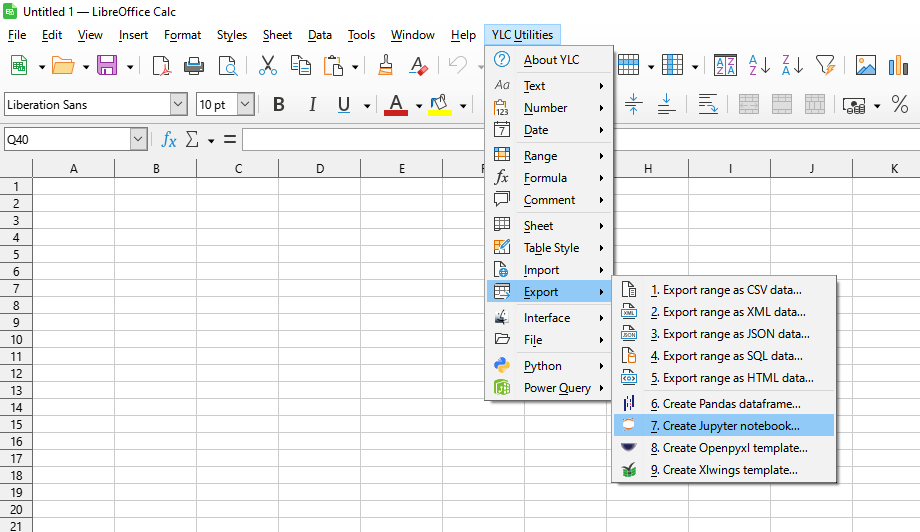
You can use the utility
After this, this function will be available in all files that are opened in Excel (LibreOffice Calc).

