The IMPORTTEXT function allows you to load data from a text file directly into Excel (LibreOffice Calc). You can specify delimiters, skip or select a certain number of rows, and also configure encoding or locale for precise control over the imported content.
Designed for importing data from text files (such as CSV, TXT or TSV).
=IMPORTTEXT(Path; [Delimiter]; [SkipRows]; [TakeRows]; [Encoding]; [Locale])
The IMPORTTEXT() function is extremely useful for automating external data processing. Just specify the file path and formatting parameters, and Excel (Calc) will automatically load the content:
=IMPORTTEXT(Path; Delimiter)
We will get the following result:


In this example, the following values are used:
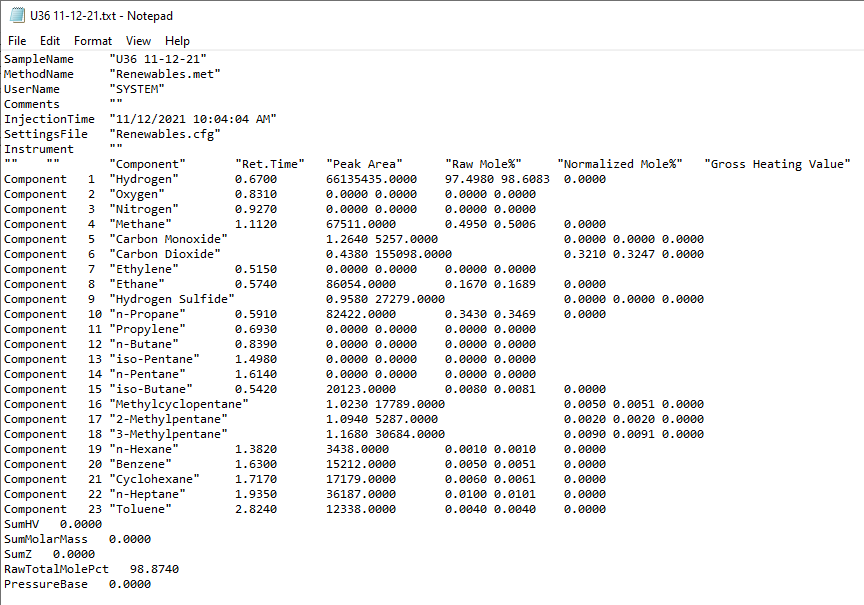
Corresponding data from the text file:
Simply enter the IMPORTTEXT() function into any cell, specifying the appropriate parameters. Then press Ctrl+Shift+Enter to enter the array formula and LO Calc will automatically return a table with data.
To select all cells related to the array formula, simply select any array cell and press Ctrl+/.
If you need to convert an array formula to values - select the entire array and in the menu
You can use the function IMPORTTEXT() by installing the extension YLC Utilities.
After that, this function will be available in all files that will be opened in Excel (LibreOffice Calc).

