The AITRANSLATE() function is designed to translate text directly in a cell on any worksheet.
To translate text, this function uses a large language model Google "Gemini" and can be used in any formulas both independently and in conjunction with other standard functions.
You can also use the classic function GOOGLETRANSLATE(), which uses the website "Google Translate" for text translation.
=AITRANSLATE(Text; Language)
Suppose you have a cell with text you want to translate. You just need to enter the AITRANSLATE() formula, and Excel (Calc) will automatically translate the text:
=AITRANSLATE(Text; Language)
We will have the following result:
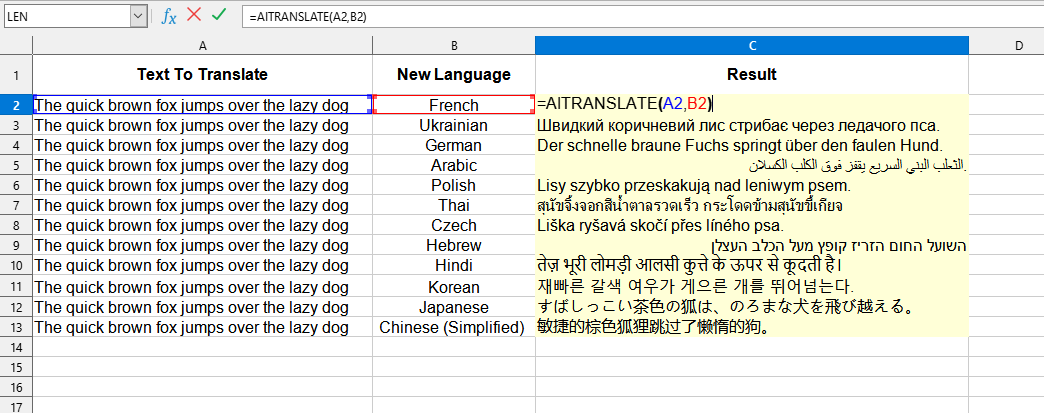
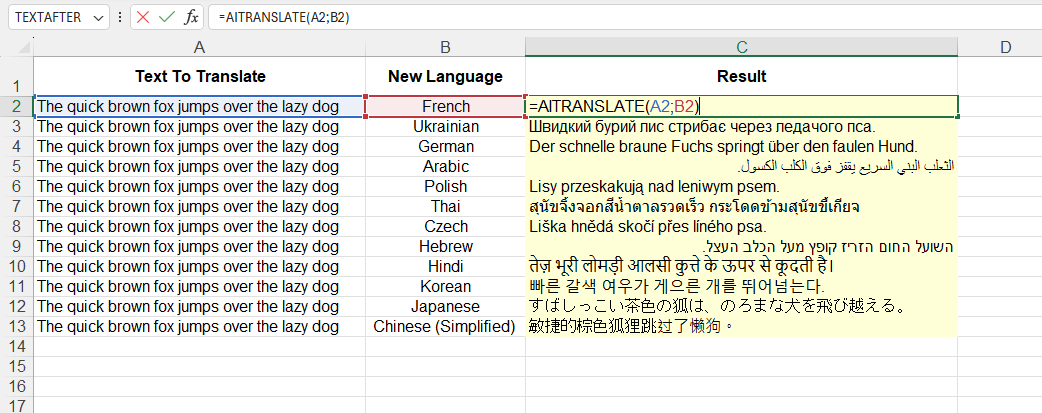
The following values are used in this example:
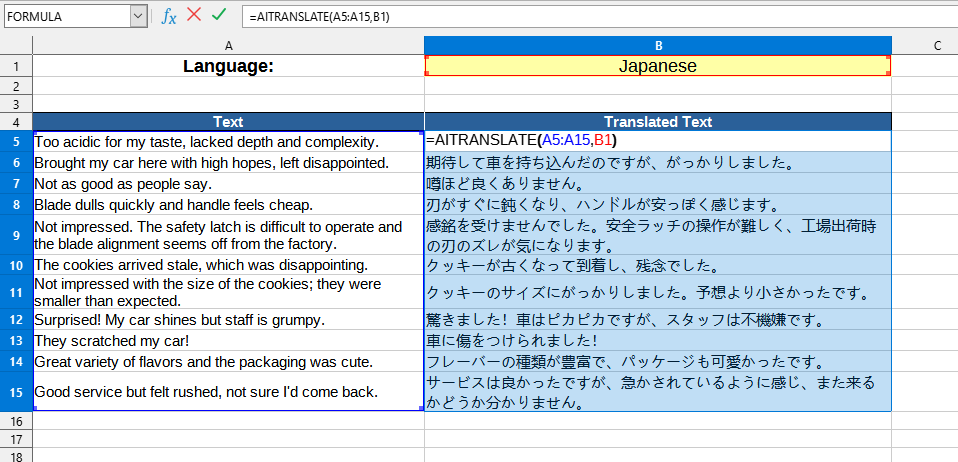
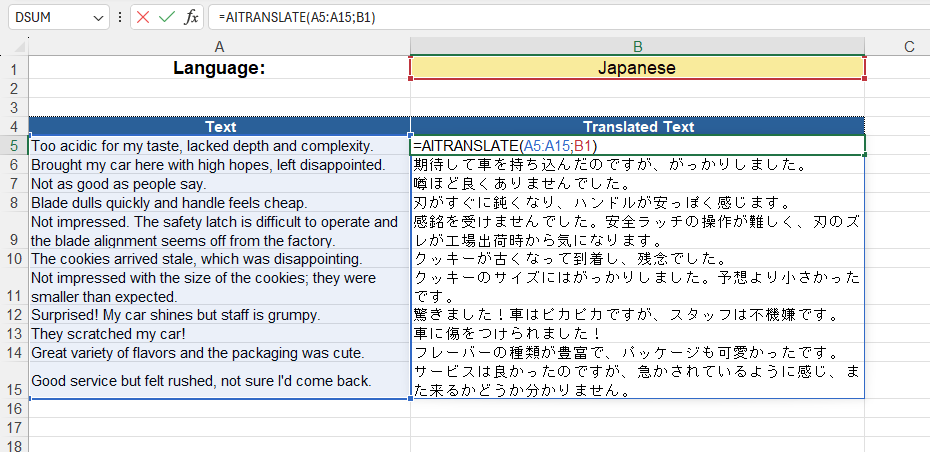
The following values are used in this example:
The AITRANSLATE() function can work both in normal mode and as an array function.
To use as an array, just enter the function in any cell, specifying the appropriate parameters. After that, you need to press Ctrl+Shift+Enter to enter the array formula, and LO Calc will automatically return a table with data.
To select all cells related to an array formula, simply select any cell in the array and press Ctrl+/.
If you need to convert an array formula to a value - select the entire array and in the
You can use the function AITRANSLATE() by installing the YLC Utilities extension.
After that, this function will be available in all files opened in Excel (LibreOffice Calc).

