The ISOCOUNTRY() function returns the name and codes for the specified country according to the ISO (International Standard Organisation) standard. Additional data is also available.
Country: Country name or code. If a country code is specified, you must specify the corresponding search type in the "SearchType" parameter.
DataType: The type of data you want to obtain: 0-ISO country name, 1-numeric code, 2-two-letter code, 3-three-letter code, 4-short country name, 16-phone code, 17-currency name, 18-currency alphabetic code, 19-currency numeric code.
CurrentCell: Reference to the current formula cell.
[SearchType]: Optional. Search type: 0-country name, 1-numeric code, 2-two-letter code, 3-three-letter code. The default value is 0.
Usage Example
The ISOCOUNTRY() function is simple to use. You only need to specify the name or country code and the type of data you want to obtain, and Excel (Calc) will automatically return the selected values for the specified country:
=ISOCOUNTRY(Country; DataType; CurrentCell)
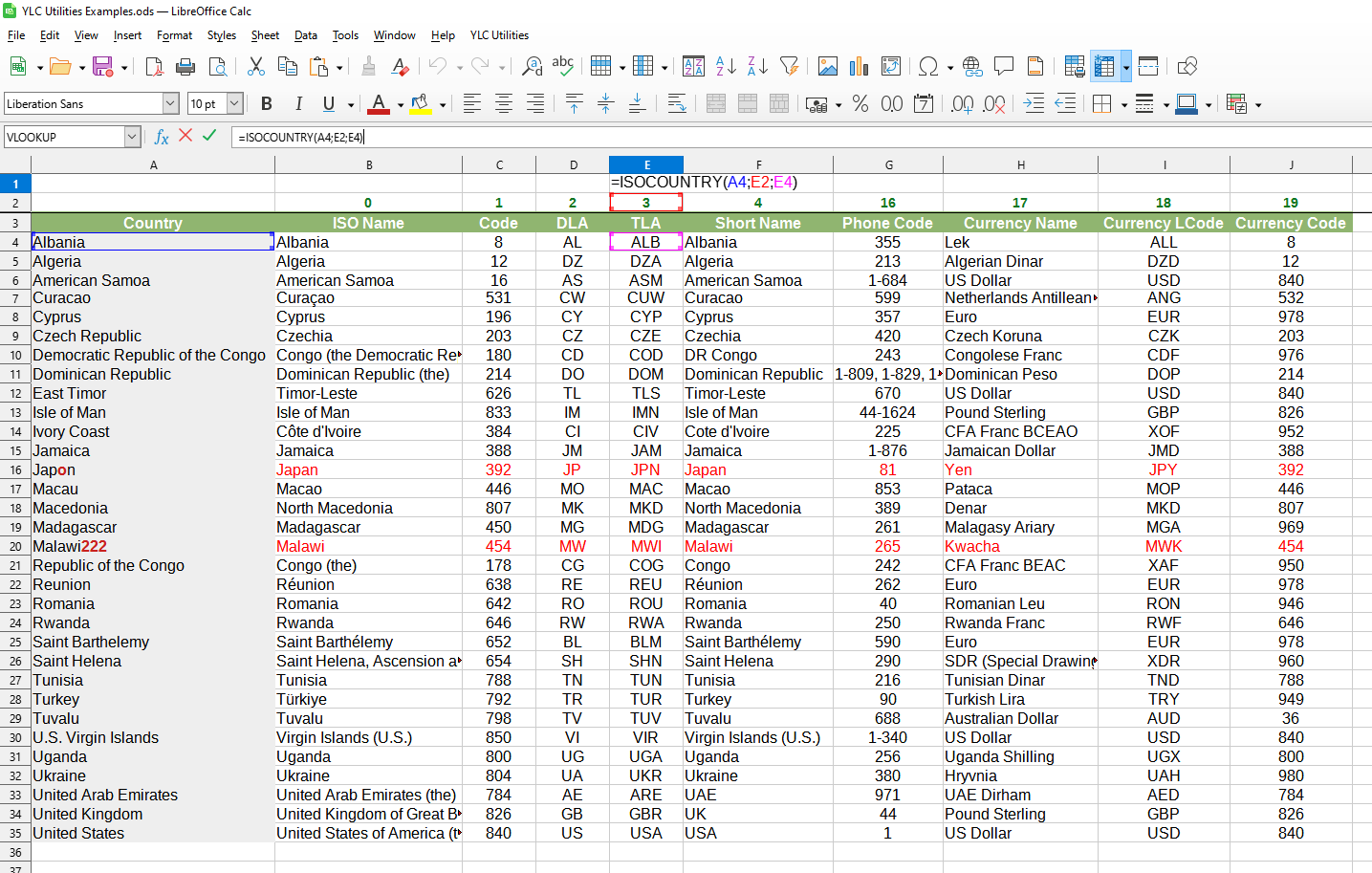
We will get the following result:
In this example, the following values are used:
Country:A4 - Country name for which we are looking for information ("Albania").
DataType:E2 - Data type we want to obtain: three-letter country code ("3").
CurrentCell:E4 - Current formula cell.
Usage features
This function performs an approximate search if the country name is spelled incorrectly or in a different format. The FUZZYLOOKUP() function is used for this. If the found value is a result of an approximate search, the cell text will be highlighted in red.