The FOREX() function is designed for automatic retrieval of international currency exchange rates directly from the Yahoo Finance website (finance.yahoo.com) for the specified currency pair (e.g., EURUSD, USDJPY) and selected date. It supports both historical quotes and current real-time values.
This function is convenient for creating stock trackers in tables Excel (LibreOffice Calc) and will be useful for investors, traders, and financial analysts.
=FOREX(Pair; [Date]; [Indicator])
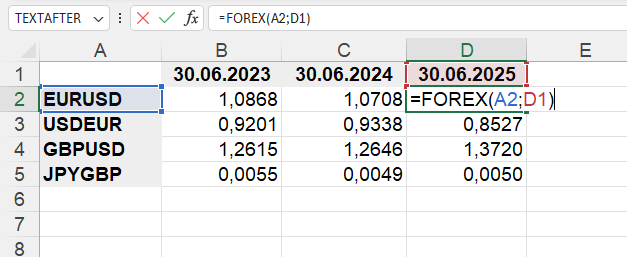
The FOREX() function is easy to use. You just need to specify the cell with the currency pair code and Excel (Calc) will automatically import the exchange rate of these currencies for the specified date:
=FOREX(Pair; Date)
We will get the following result:
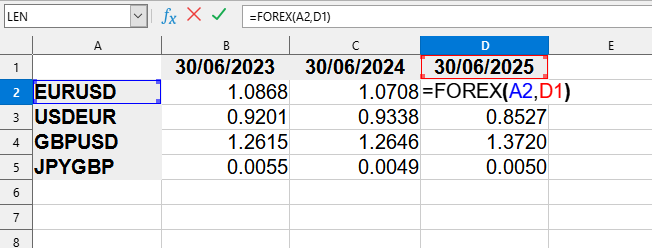
This example uses the following values:
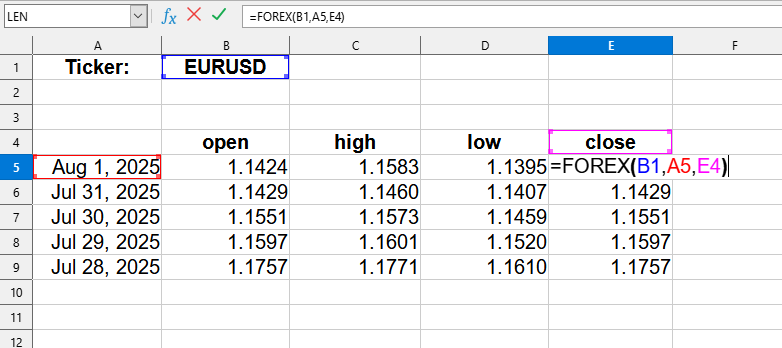
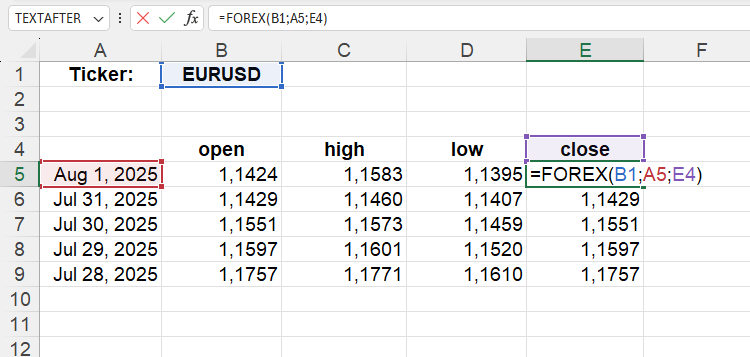
This example uses the following values:
Corresponding data from the Yahoo Finance website:
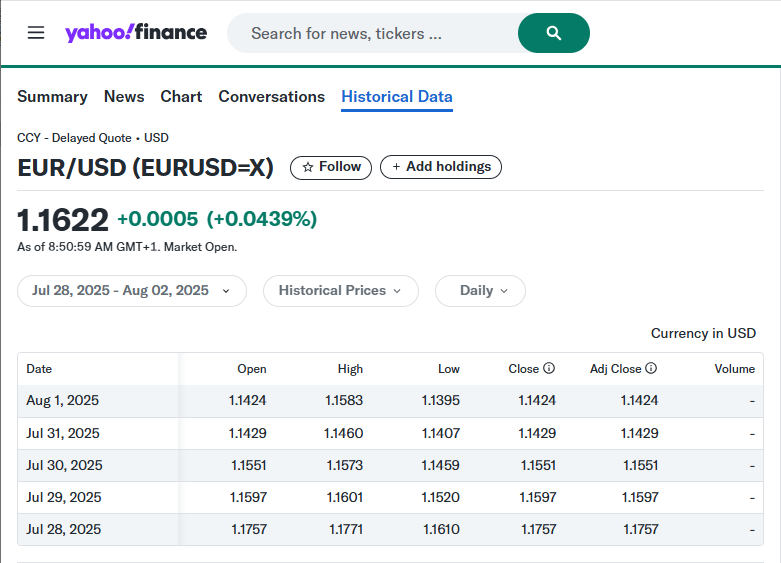
The FOREX() function can work in normal mode as well as an array function.
To use it as an array, simply enter the function into any cell, specifying the appropriate parameters. After that, you need to press Ctrl+Shift+Enter to enter the array formula and LO Calc will automatically return a table with data.
To select all cells associated with the array formula, simply select any array cell and press Ctrl+/.
If you need to convert an array formula to values - select the entire array and in the menu
When using a date as text, it must first be converted into a real date, for example:
You can also use ready-made templates to retrieve historical data, financial indicators, or a company profile.
To do this, go to the menu
You can use the function FOREX() by installing the extension YLC Utilities.
After that, this function will be available in all files opened in Excel (LibreOffice Calc).