The TABLETOHTML() function is designed for quick conversion of Excel (LibreOffice Calc) tables into HTML format. It automatically generates ready-made code with appropriate tags, allowing you to instantly integrate tabular data onto a web page.
Thanks to this, users can easily publish structured information on the internet without manual layout.
=TABLETOHTML(Range; [Indent])
The TABLETOHTML() function is easy to use. You just need to select a table or specify any range of cells with values and Excel (Calc) will automatically return text in "HTML" format:
=TABLETOHTML(Range)
We will have the following result:
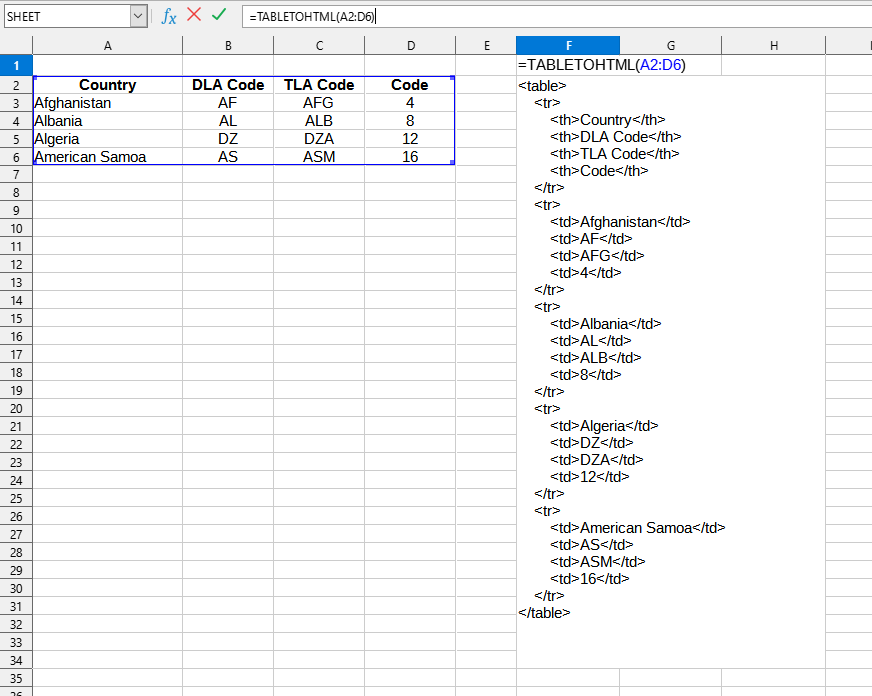
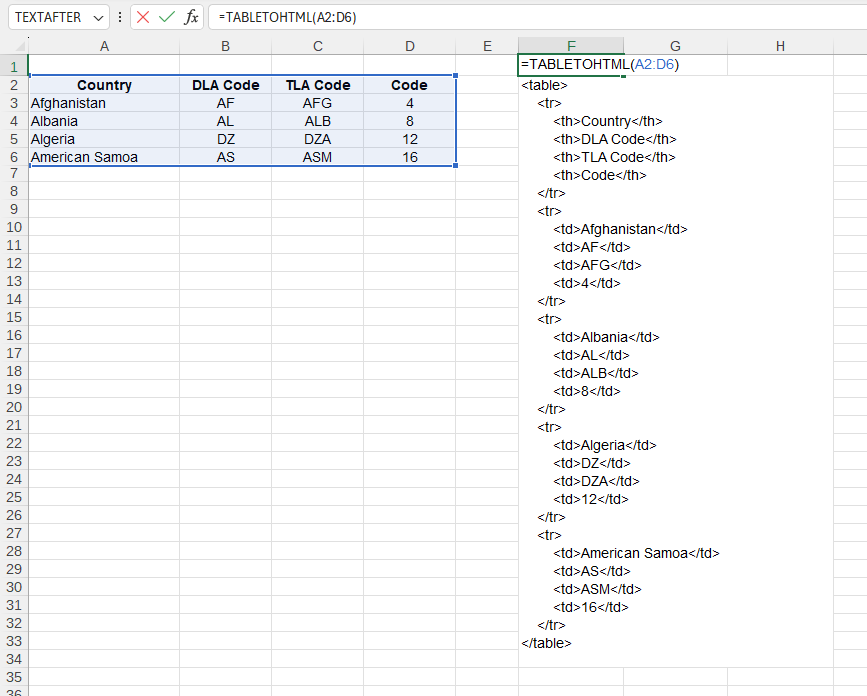
The following values are used in this example:
You can use the TABLETOHTML() function by installing the YLC Utilities extension.
After that, this function will be available in all files that are opened in Excel (LibreOffice Calc).

