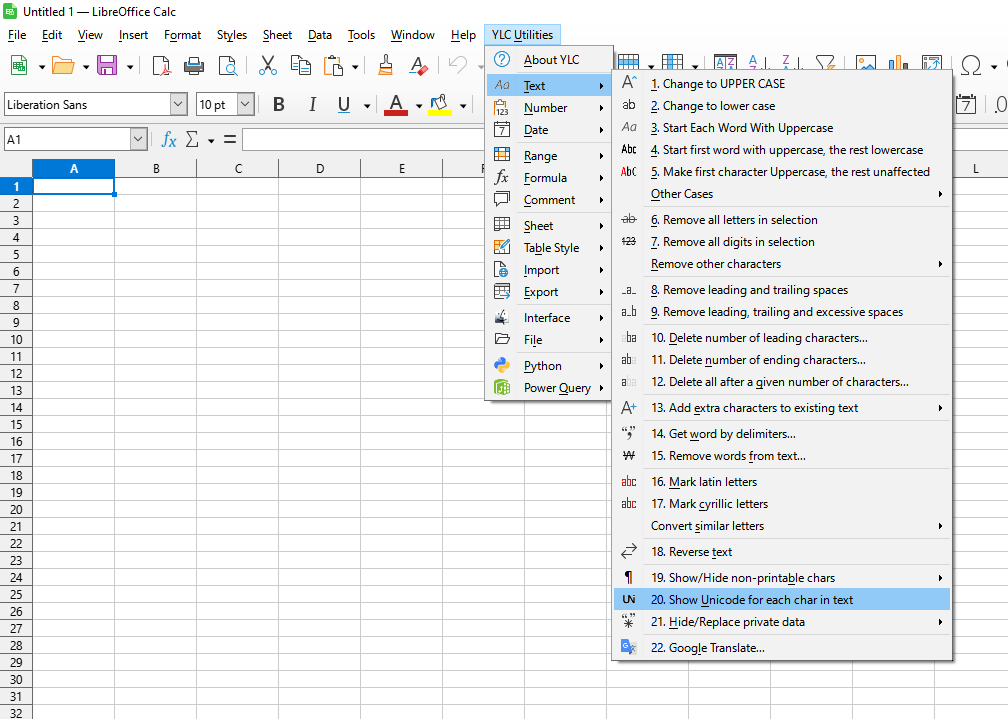
This tool allows you to quickly display the Unicode code for each character in the text within selected cells. This eliminates problems associated with identifying invisible, similar (homoglyphic), or special characters that can cause incorrect data processing, searching, or sorting.
The tool breaks down the text into individual characters and writes their Unicode representation in a comment for the corresponding cell. For example, "Test" will be written as "T(U+0054) e(U+0065) s(U+0073) t(U+0074)", adding the Unicode code next to each character. This allows the user to precisely see which characters are contained in the text and to resolve issues with encoding or mixed alphabets.

Click

By using this tool, you are guaranteed to save time and effort. However, the actual time savings depend on how often you use Excel (Calc), the volume of data you work with, and how frequently you use this tool.
You can use the
After that, this function will be available in all files opened in Excel (LibreOffice Calc).

