TOP

Company screener

Template > Company screener

This tool allows you to quickly create new worksheets filled with key financial and corporate data about selected companies across various report types (Profile, Financial indicators, Statistics, Dividends, or Historical data). This significantly simplifies market analysis and rapid assessment of the investment attractiveness of assets.

You no longer need to manually search for and copy financial reports from various internet resources or structure tables yourself. The utility will automatically download current metrics, group them according to your chosen report type, and instantly generate a worksheet ready for work.
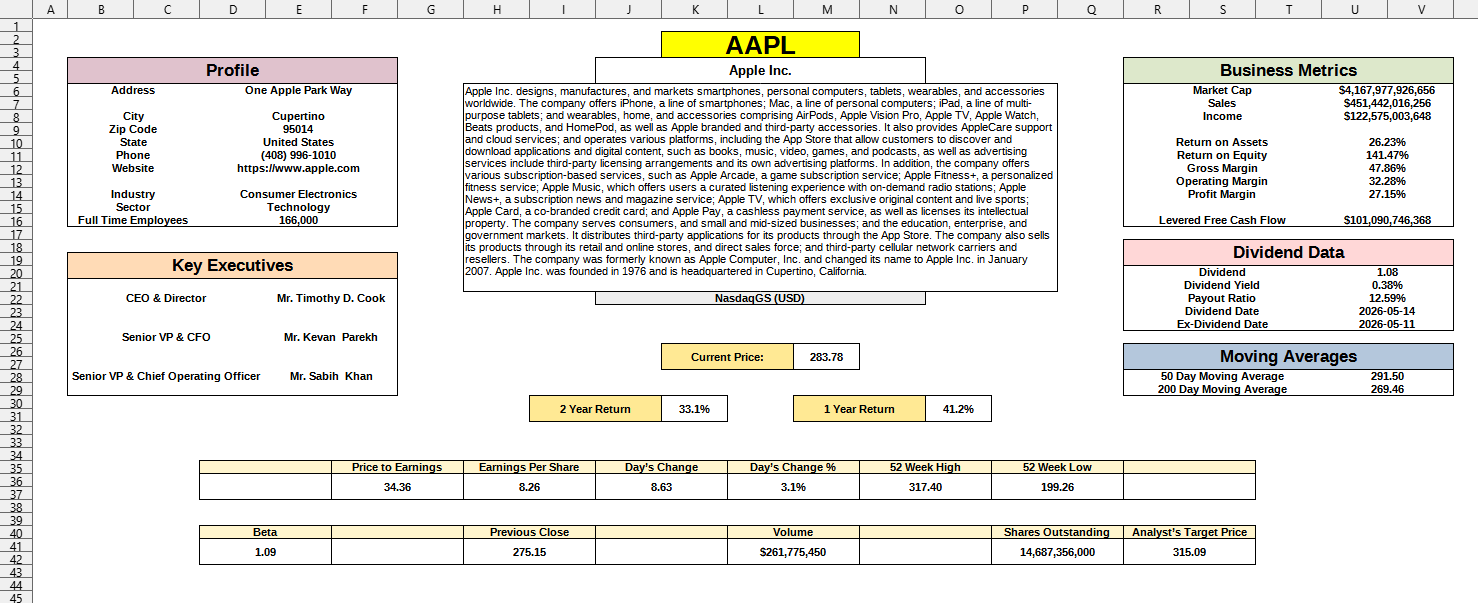
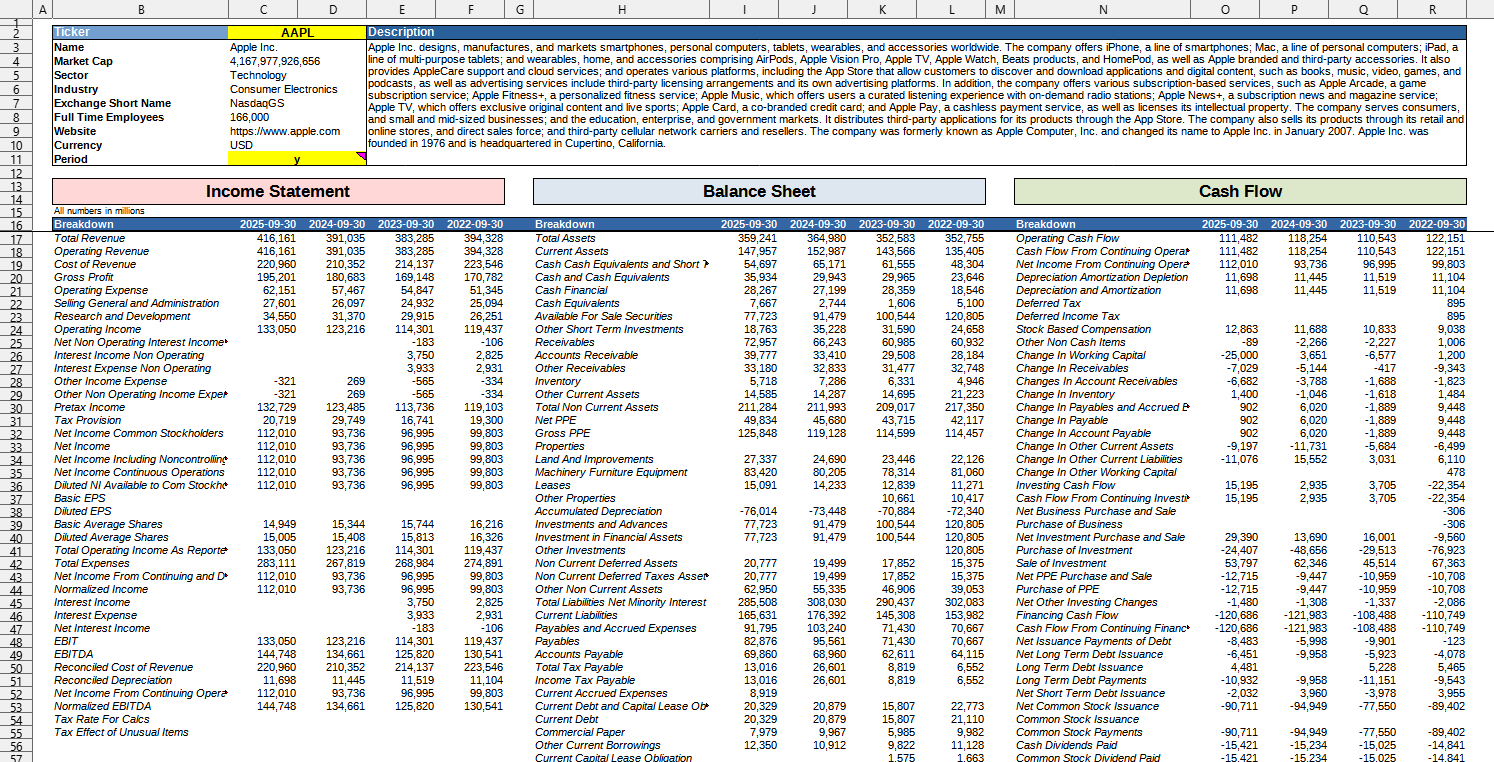
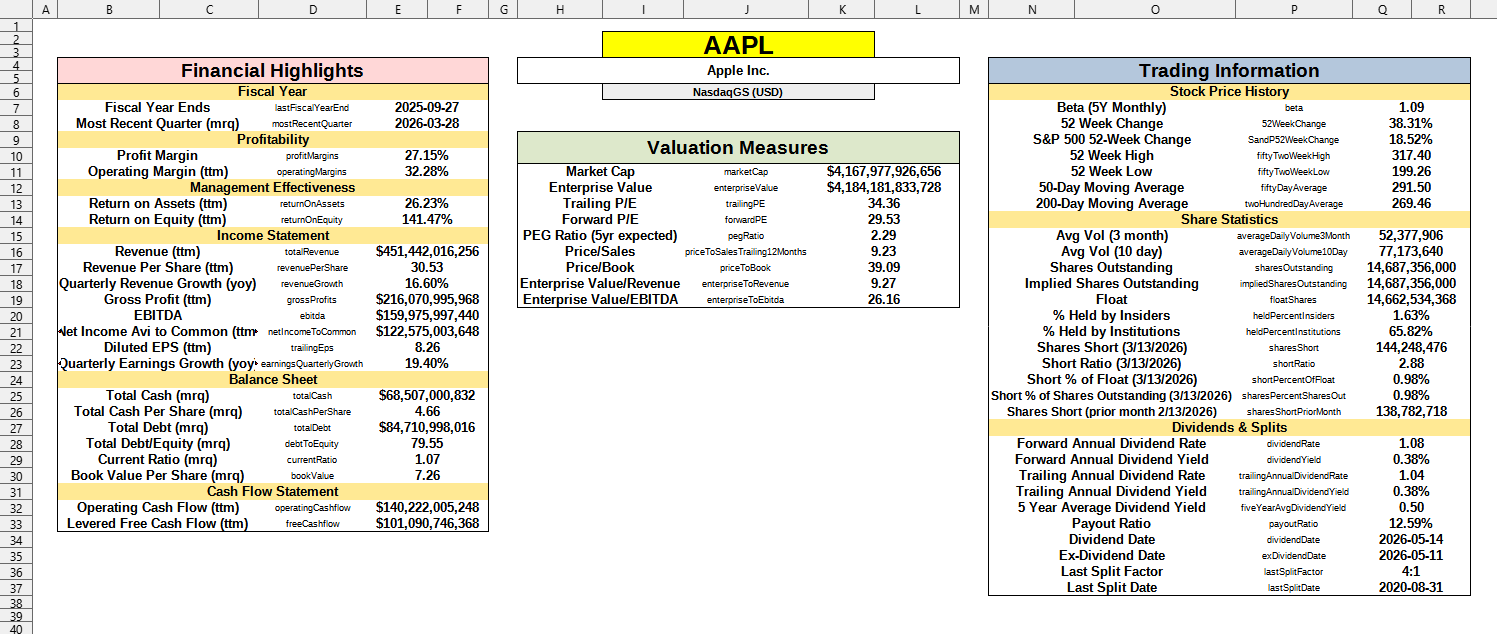
Screenshot

Company profile (Profile data):

Template > Company screener

Company financial data (Financial data):

Template > Company screener

Company statistical data (Statistical data):

Template > Company screener

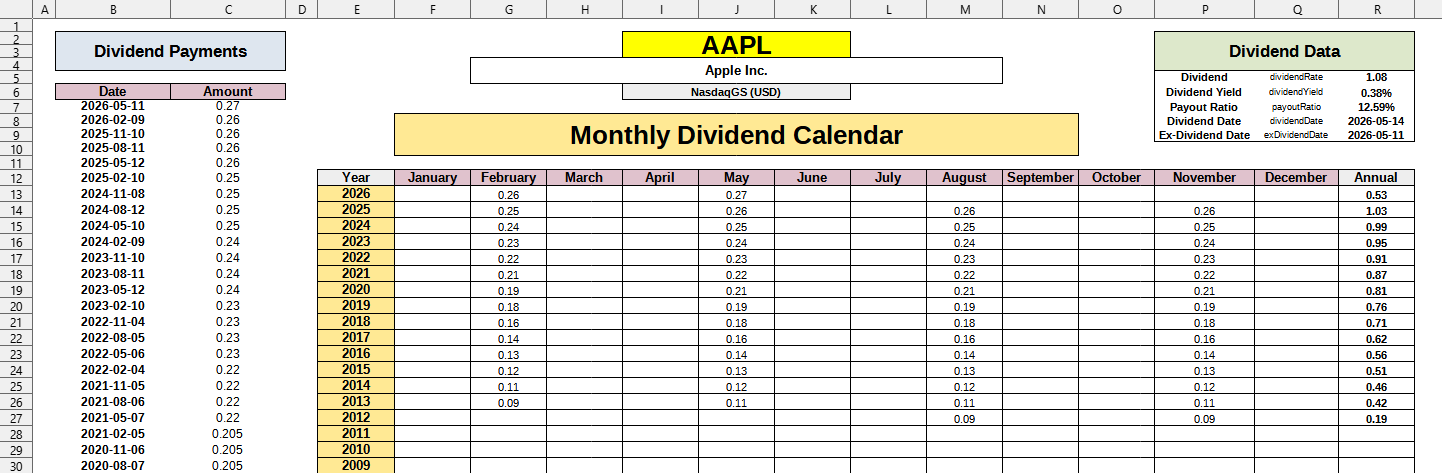
Company dividend data (Dividend data):

Template > Company screener

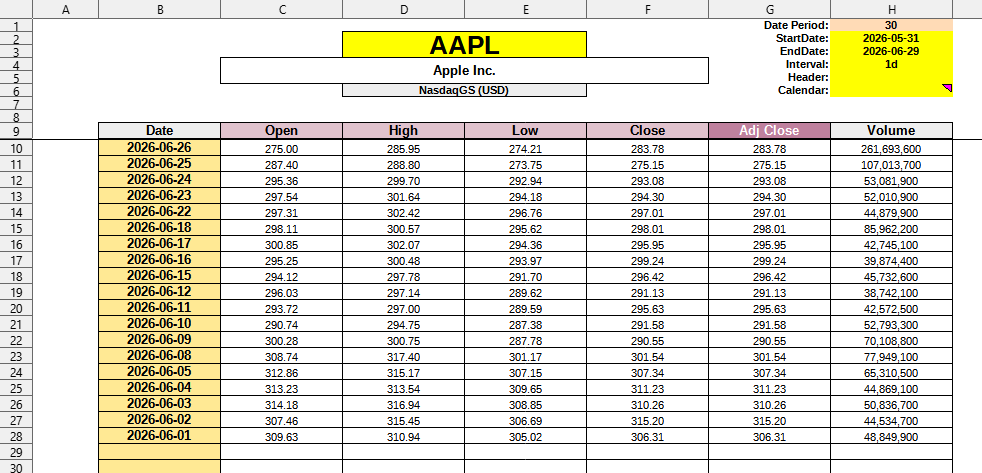
Company historical data (Historical data):

Template > Company screener

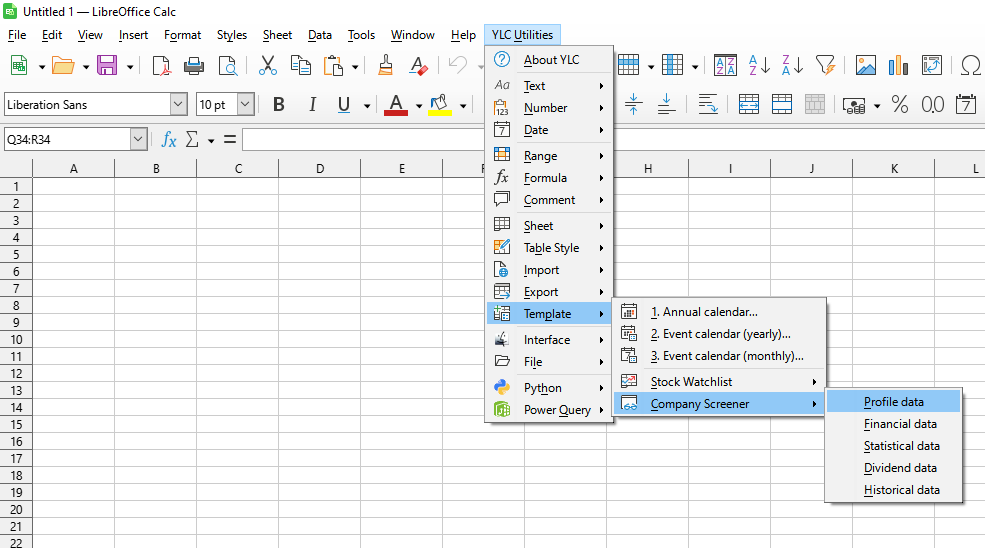
Launching this tool

Click YLC Utilities > Template > Company screener :

YLC Utilities > Template › Company screener

How much time will this save?

By using this tool, you are guaranteed to save time and effort. However, actual time savings depend on how often you use Excel (Calc), the volume of data you work with, and how frequently you use this tool.

Download extension

You can use the utility Company screener by installing the extension YLC Utilities.

After that, this function will be available in all files that are opened in Excel (LibreOffice Calc).
Additional keywords for this tool:
Company analysis, financial reports, stock statistics, dividends, historical stock data, stock screener, investment analysis

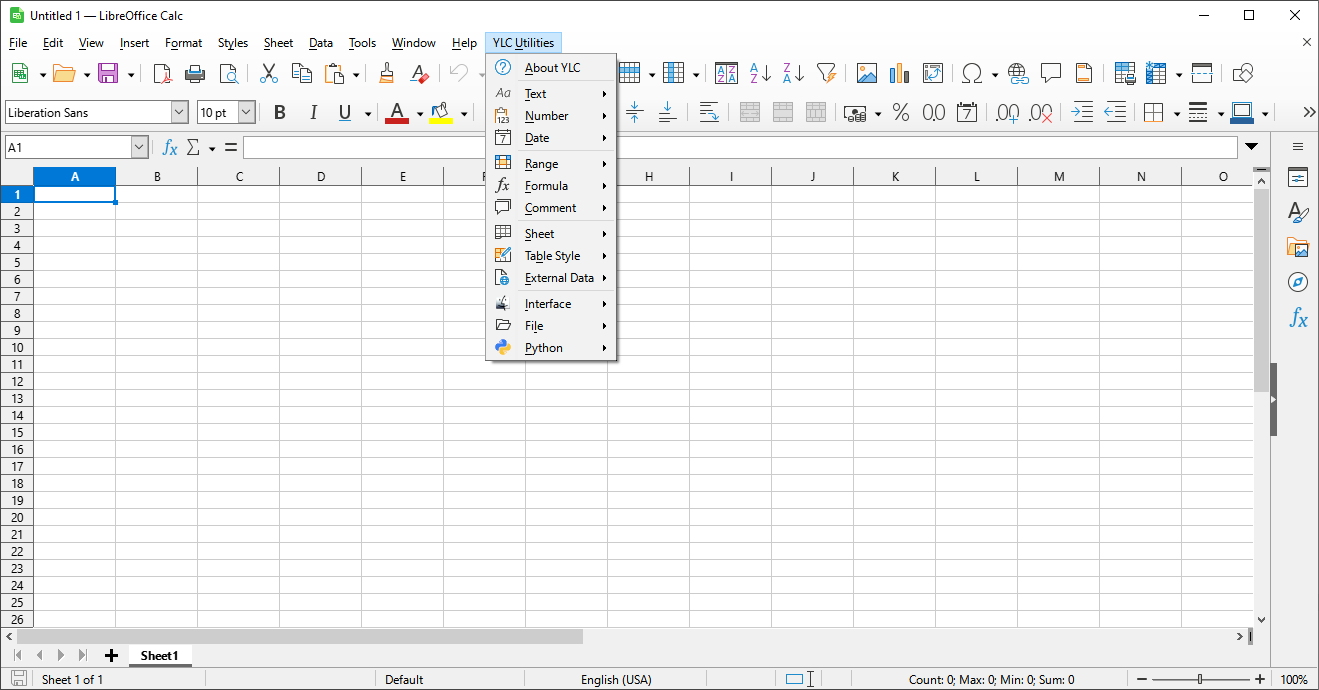
The YLC Utilities menu in LO Calc

The YLC Utilities menu in LO Calc

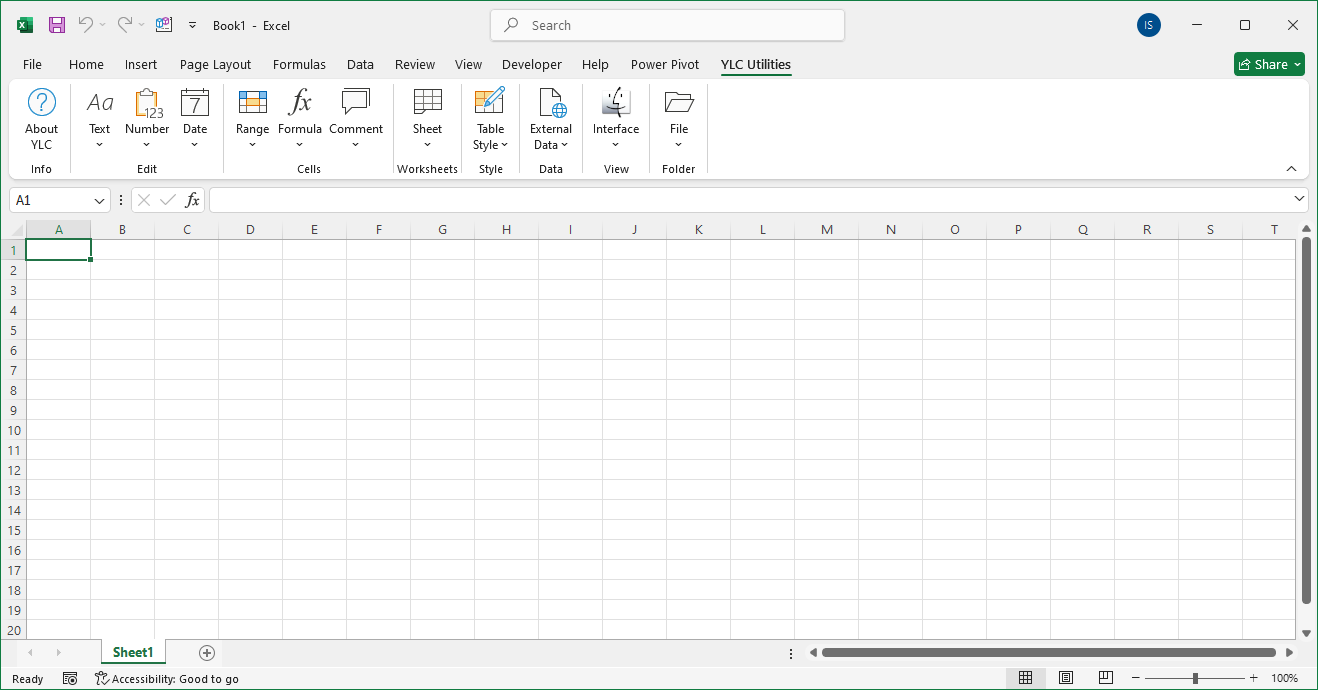
The YLC Utilities menu in Excel

The YLC Utilities menu in Excel