TOP

Adding characters to existing text

Text > Add extra characters to existing text

This tool allows you to quickly add characters or text to the beginning or end of existing text in selected cells in Excel (Calc). You can use this utility to standardize prefixes/suffixes, add separators, or for other text manipulation.
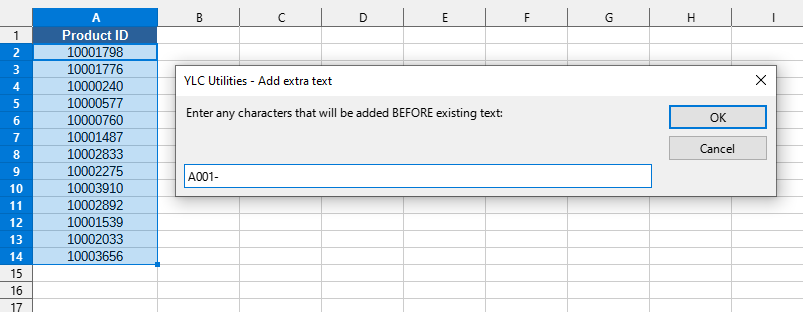

Screenshot

Text > Add extra characters to existing text

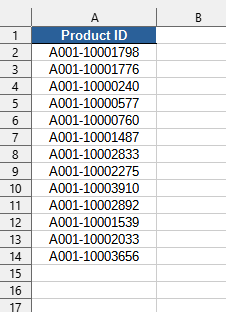
After applying:

Text > Add extra characters to existing text

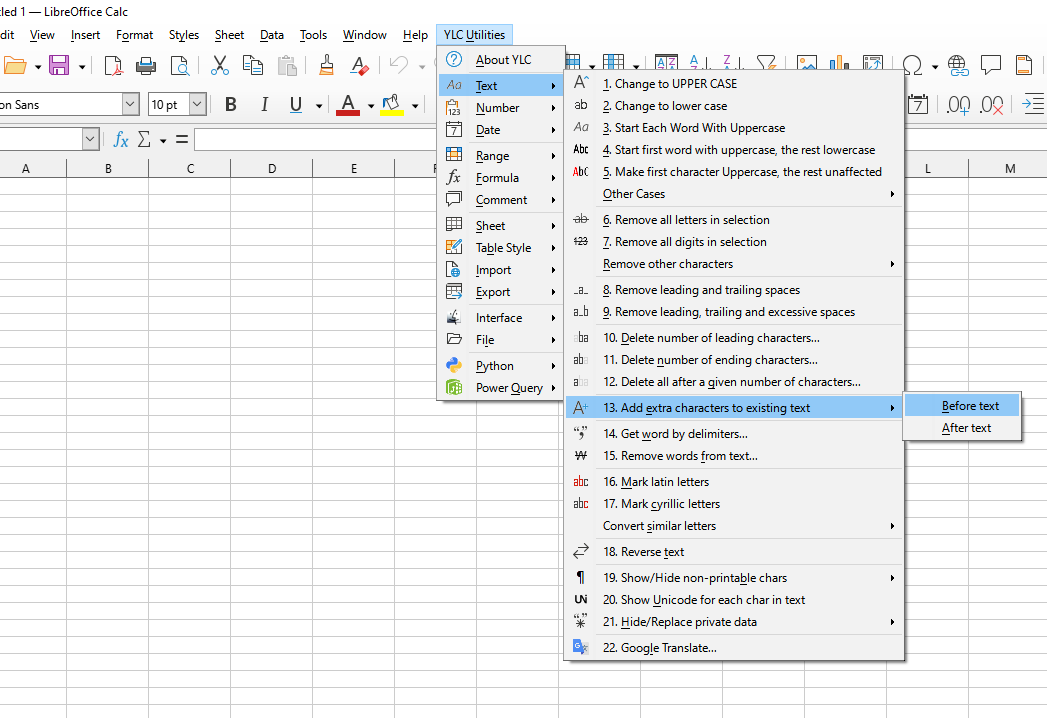
Launching this tool

Click on YLC Utilities > Text > Add extra characters to existing text :

YLC Utilities > Text › Adding characters to existing text

How much time will it save?

By using this tool you are guaranteed to save time and effort. However, the actual time saved depends on how often you use Excel (Calc), the amount of data you are working with and how often you use this tool.

Download extension

You can use the Add extra characters to existing text utility by installing the YLC Utilities extension.

After that, this function will be available in all files that will be opened in Excel (LibreOffice Calc).


Additional keywords for this tool:
add text, prefix, suffix, text concatenation, change text

The YLC Utilities menu in LO Calc

The YLC Utilities menu in LO Calc

The YLC Utilities menu in Excel

The YLC Utilities menu in Excel